---------------------------------------------------
【Voltage Compatibility】
Our products are selected to support international voltage ranges (e.g. 100–240V).
However, please make sure your local voltage is compatible before use, as incorrect voltage may still cause malfunction.
【Plug Type】
Our products use Japanese plug types (A or B type).
Please use a conversion adapter if necessary.
【Important Note on Transformers and Adapters】
A transformer adjusts voltage to match your device’s requirements.
A conversion adapter only changes the plug shape and does not adjust voltage.
Using only a conversion adapter without a transformer may result in damage to the product.
【Liability】
We are not responsible for malfunctions or damages caused by improper use, such as operating the product without appropriate voltage or equipment.
---------------------------------------------------
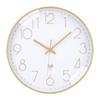
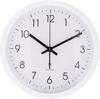
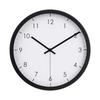
Features: Radio wave reception function (automatic/manual reception), radio wave reception ON/OFF function, radio wave reception indicator light, step second hand
A clock that receives radio waves carrying accurate time information and automatically corrects the displayed time.
When not receiving radio signals, it operates with quartz accuracy.
Recommended battery: 1 x AA alkaline battery (sold separately)
Main unit size: (approx.) Height 30 x Width 30 x Depth 5 cm
1. Automatic Reception of Radio Wave Movement: After correctly inserting alkaline batteries into the battery slot, the second hand will first quickly and automatically begin to move to the 12 o'clock position. Next, the hour and minute hands will also automatically move to the 12 o'clock position. (If the reset when powering on does not work properly, press the "RESET" button). This process takes about 4 to 6 minutes. After the zero position adjustment, the hour, minute, and second hands will stop moving, and at this point, the watch will be in automatic radio wave signal reception mode (initial reception mode). After a reception time of about 3 to 12 minutes, once the correct time signal is received, the hands will rotate quickly and point to the correct time. *The automatic radio wave reception function is performed once every hour. Therefore, the initial automatic radio wave reception may take a long time. 2. Manual Time Setting: Manual time setting is possible whether the watch is in reception mode or not. When the hands are stopped in reception mode, if you press and hold the "M.SET" key for 4 seconds and the minute hand moves forward by 1 minute, you are in manual time setting mode. At this time, each time you press the "M.SET" key, the time advances by one minute, and if you hold down the key, the minute and hour hands will advance rapidly (seconds cannot be adjusted). Release the key.
After 8 seconds, the manual time adjustment mode ends and the clock returns to normal operation at the set time. (At this time, reception of standard radio waves becomes impossible). When the clock is in the normal state, pressing and holding the "M.SET" key for 4 seconds stops the movement of all hour and minute hands and enters manual time adjustment mode. Each time you press the "M.SET" key within 8 seconds, the clock advances by 1 minute. If you continue to hold the key, the minute and hour hands will advance rapidly (seconds cannot be adjusted). Releasing the key ends the manual time adjustment mode after 8 seconds and the clock returns to operation at the current set time. 3. Reset function: Pressing the reset button (RESET) returns the hour, minute, and second hands to the 12 o'clock position, clears all internal information, and returns the clock to the automatic radio signal reception state (initial reception state). 4. Automatic daily reception of radio signals: If the watch does not receive the radio signal correctly on a given day, it will receive the signal at four points during that day: 2:00 AM, 3:00 AM, 4:00 AM, and 5:00 AM. 2:00 AM and 3:00 AM are mandatory reception times. *Due to the night-time second hand stop function, the second hand will not move even if automatic reception is performed at these four points. 5
Manual Forced Reception: Except for the three cases of zero position adjustment, manual time setting, and automatic reception, manual forced reception is possible. (Manual forced reception can be performed at any time from midnight to 12 o'clock.) Press and hold the "REC" key for 4 seconds, and the hour, minute, and second hands will all quickly move to the 12 o'clock position. At this point, the watch enters manual forced reception mode and begins receiving radio signals. If a correct radio signal is received within 3 to 12 minutes, the hands will immediately move to the correct time position. Otherwise (for example, if the reception signal fails), the hands will return to the position before entering manual forced reception mode according to the watch's internal memory and continue to advance to the normal time. 5. Automatic Correction of Mechanical Errors in Radio-Controlled Watches: The second hand is automatically checked and corrected at 5:20 and 12:20 every day. The hour and minute hands are automatically checked and corrected at 12 o'clock every day.


 Товар из Японии


 Возврат по недоставке