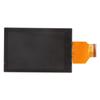
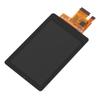
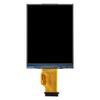
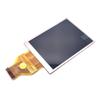
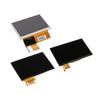
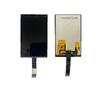
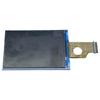
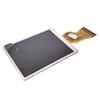
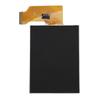
This premium LCD display screen with backlight is a high-quality compatible replacement part specially designed for Fujifilm X-T3 and X70 cameras. It is an ideal repair solution for various faulty and damaged camera screens, including cracked, shattered, scratched, flickering and non-displaying screens. Installing this brand-new screen can fully restore clear display effect of your device, greatly refreshing the overall appearance and usage performance of your Fujifilm camera.
Manufactured with precise industrial standards, this LCD screen comes with backlight and features accurate hole positions and perfect body fit, which can match your Fujifilm X-T3 / X70 completely without modification. Every screen has undergone strict manual inspection and professional functional testing before shipment, focusing on checking display clarity, backlight performance, color restoration and overall integrity, ensuring all products are in flawless working condition and free from dead pixels, color deviation and display failure issues.
To ensure the best repair effect and avoid unnecessary device damage, professional installation by experienced technicians is highly recommended. We will not undertake responsibility for any screen or device damage caused by improper installation, forced assembly or private modification after the product is installed.
Before Installation Notes
Tips 1: Test before installation
To protect the integrity and performance of the screen, please do not remove any protective films or labels on the product during the pre-installation test. Static electricity is a major cause of damage to precision electronic components. Before starting any disassembly and repair work, please wear a standard ESD electrostatic discharge strap for effective grounding to thoroughly avoid static electricity from burning out the internal circuit components of the camera. In addition, please wear professional eye protection tools during operation and handle the screen glass carefully to prevent sharp glass splinters from causing hand injuries.
Tips 2: Simulate offline testing
The camera screen is a fragile precision electronic accessory. Pre-installation simulation testing is an essential step before official installation. Complete the power-on test before installation. You can only carry out formal installation if all functions work normally. If the screen fails to display or has functional abnormalities during the test, please contact our customer service team immediately for solutions. Never force the screen into the camera for installation. We will not be liable for any abnormal damage after forced installation.
Tips 3: Standard cable placement
Please protect the LCD connection cable during the whole installation process and avoid excessive bending and extrusion. Do not bend the screen cable beyond 90 degrees, as excessive bending will damage the internal circuit of the cable, directly leading to screen blackout, no display and other irreversible faults.
HDMI Port: No


 Возврат по недоставке