Quantity : 1
High-concerned chemical : none
Package : TQFP
is_d : Yes
Supply Voltage : As Description
Type : Module
Brand Name : DIY NOW
Origin : Mainland China
Condition : New
Operating Temperature : As Description
Condition : New
Type : CW Key Trainer Module
Key Word : CW Trainer Module
Dropship : Support
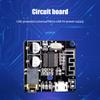
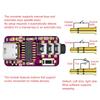
CW Key Trainer PC+Vband Morse Code Telegraph Trainer Key Connection Type-C Interface Electronic Kit
Features:
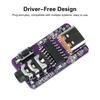
1. Driver-free design, plug-and-play, compatible with various systems, and easy to use.
2. Supports mouse mode, mapping the hand key or paddle key to left and right mouse clicks.
3. Supports keyboard mode, mapping the left and right keys to keyboard key operations, compatible with the Vband website.
4. Type-C USB interface, compatible with mobile phones and computers.
5. Compact and flexible, compatible with any telegraph key, and supports software-based communication.
Product Introduction:
The basic principle of this CW training companion is to simulate a composite USB mouse and keyboard device through a chip. No driver software needs to be installed on the computer; the Windows system itself supports universal mouse and keyboard drivers.
Product Parameters:
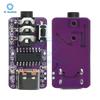
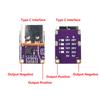
Interface: Type C
DC Interface: 3.5mm
PCB Board Size: 29mm*16mm (excluding interfaces)
Modes: This product (hereinafter referred to as the converter) supports two modes and two types of keys: hand key and automatic key:
Mouse Mode: Maps the hand key or the "dit" and "dah" left and right keys of the paddle key to the left and right mouse clicks, sending the operation to the computer. The operation is the same as left and right mouse clicks. This means that any software that can be operated with a mouse is compatible in this mode.
Keyboard Mode: Maps the "dit" and "dah" left and right keys of the paddle key to the keyboard's "[" and "]" keys, sending the operation to the computer. The operation is the same as pressing the "[" and "]" keys on the keyboard. This is commonly used on the Vband website, so some users call this mode the Vband mode.
How to Use:
Connect the adapter and the telegraph key using a 3.5mm three-segment audio cable with male connectors on both ends. If the telegraph key has a 6.5mm plug, you will need a 3.5mm male to 6.5mm female adapter. (Always plug in the telegraph key first, then the USB.)
Plug the adapter into your computer/mobile phone and open the corresponding mobile or PC software. If using a mobile phone for practice, you will need a Type-C male to USB-A female adapter or cable, or choose a module with a Type-C interface directly. If you are using the Vband website for practice, you need to hold both paddles simultaneously and then insert the USB into your computer, holding for more than 2 seconds. The converter will automatically switch to keyboard mode, as the converter defaults to mouse mode upon insertion. The next time you insert the USB, it will revert to mouse mode.
Then you can practice sending Morse code according to the features of various software or websites.
When using mobile software for practice, you can move the cursor to the software button area by pressing the buttons on the module, and then perform the keying operation.
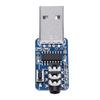
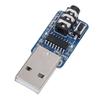
There is no difference in functionality or performance between the USB and Type-C modules; only the interface is different. Both support mobile and computer software.
Principle Explanation:
Many HAM radio operators, after practicing listening and transcribing Morse code, want to practice using a CW key. There are several ways to do this:
Key + Oscillator: This method does not require a computer, only a simple frequency oscillator. The disadvantage is that it cannot interact with computer software.
Key + Portable Trainer: Many trainers have screens and even game functions, adding to the fun. The disadvantage is that trainers are expensive.
Key + Adapter + Mobile Phone/Computer: This is the most economical and flexible method. This product falls into this category, supporting various mobile and PC software. It even allows for real-time CW communication with other users on web-based platforms. The adapter is also very inexpensive and can be used with any key.
Product List:
1 x Module
label:yes


 Возврат по недоставке