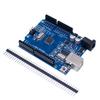
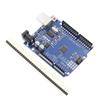
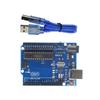
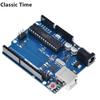
High-concerned chemical : none
Type : Module
Origin : Mainland China
Condition : New
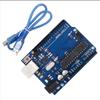
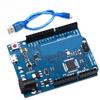
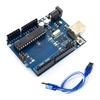
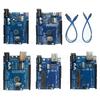
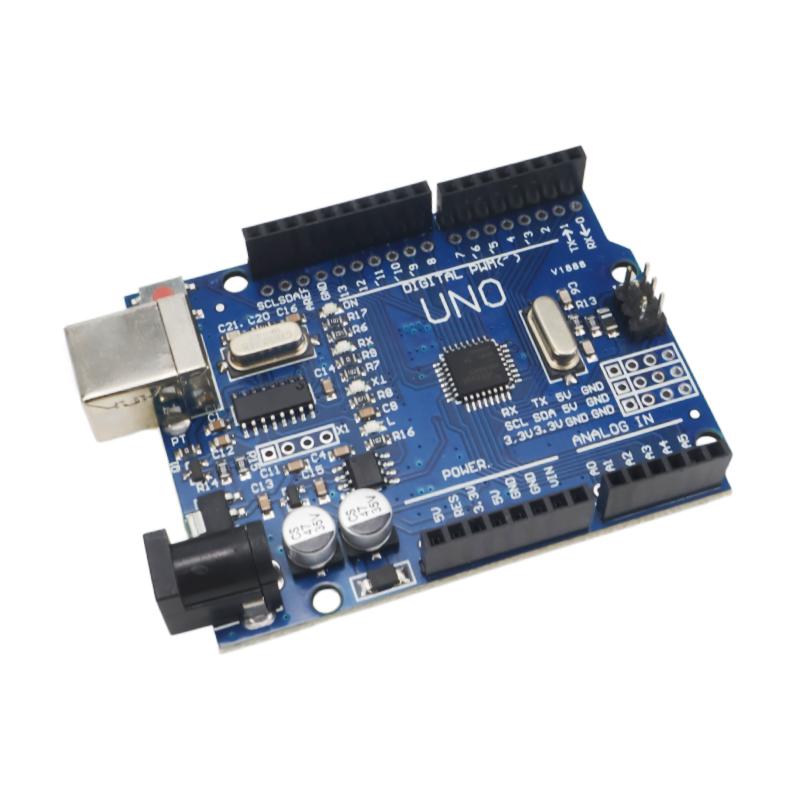
p{margin-block-start: 0; margin-block-end: 0}UNO R3 Development Board ATmega328P CH340G: Perfectly Compatible with Arduino IDE, Includes USB Cable and Proto Shield – The Ideal Choice for Learning and Project Development!
Key Features & Benefits:
Key Features & Benefits:
Classic ATmega328P MCU: High-performance 8-bit microcontroller with 32KB Flash, 2KB SRAM, 1KB EEPROM – suitable for everything from simple LED blinking to complex sensor networks.
Stable CH340G USB Chip: Uses the mature CH340G USB-to-serial converter, solving driver compatibility issues found with official boards on 64-bit Windows 7/8 systems. Easy to install, plug-and-play – even on some stripped-down or non-genuine systems, driver installation remains hassle-free.
USB Cable Included, Ready to Use: Package includes a high-quality USB cable – connect to your computer and start programming immediately, no extra purchases needed.
️ Proto Shield Included: Comes with a UNO Proto Shield expansion board for easy soldering and custom circuit prototyping, allowing you to quickly validate your designs.
Rich I/O Interfaces: 14 digital I/O pins (6 PWM), 6 analog inputs, supports ISP download. Compatible with a wide range of sensors, displays, and motor driver modules.
Flexible Power Supply: Can be powered via USB (5V) or external 5V-9V DC power supply (7-12V recommended), adapting to various usage scenarios.
Comprehensive Software Support: Perfectly compatible with the Arduino IDE, with a vast library of code and examples, a gentle learning curve, and a huge community.
Product Description:
This version is an optimized iteration of the classic UNO R3 board, designed with international customers' demands for quality and functionality in mind. It ensures full compatibility with the original while offering enhanced usability. By utilizing the CH340G USB chip, it completely resolves driver compatibility issues that some users experienced with official boards on 64-bit Windows 7/8 systems. The board features the reliable ATmega328P microcontroller, providing ample performance and memory for a wide variety of projects. The package includes a USB cable and a Proto Shield, allowing you to start building and prototyping right out of the box. Whether you're a beginner learning to code, a hobbyist building smart devices, or a professional prototyping, this UNO R3 is a trustworthy companion.
Critical Notes Before Buying!
【Important! CH340G Drivers May Need Manual Installation (Some Systems)】:
While CH340G solves many compatibility issues, manual driver installation may still be required on some operating systems (e.g., macOS, Linux, or certain stripped-down Windows versions). Drivers are easily downloadable online. If your computer doesn't recognize the board, please check if the driver is correctly installed first.
️ 【Most Common Misconceptions & Misuse】
1. Power Supply Voltage Limits: When powering via the DC jack, input voltage should be between 7V-12V (though the description mentions 5V-9V, 7-12V is recommended for stability). Below 7V may cause instability; above 12V may damage the onboard voltage regulator.
2. I/O Pin Current Limits: Each digital I/O pin can source/sink a maximum of 40mA. Do NOT directly drive high-power loads (e.g., motors, relays); use external driver circuits (e.g., motor driver modules, transistors).
3. 3.3V Pin Output Current Limit: The onboard 3.3V regulator provides a maximum of approximately 50mA – sufficient only for low-power sensors. For higher 3.3V current, use an external regulator.
4.Reset Button Function: Pressing the reset button restarts the currently running program but does NOT erase the uploaded program.
5.Proto Shield Requires Soldering: The included Proto Shield is a blank PCB that requires you to solder your own circuit – it is NOT a pre-assembled functional shield.
【Correct Usage Steps】
Install Drivers: Before connecting to your computer, install the CH340G driver for your operating system (if needed).
Connect Hardware: Connect the board to your computer via USB, or power it with a 7-12V external supply.
Install Arduino IDE: Download and install from the official website.
Select Board and Port: In the IDE's "Tools" menu, select "Arduino UNO" and the correct COM port.
Upload Sketch: Open or write a sketch (e.g., Blink) and click the upload button. Wait for the "Done uploading" message.
Verify: Check if the onboard LED blinks as expected.
【Additional Notes】
When using the Proto Shield, solder components according to your circuit design. Avoid shorts.
This board is compatible with most shields designed for the official UNO, including R3 and R4 versions.
If upload fails, check if the correct port is selected, or try reconnecting the USB cable.
Specifications
Main Chip: ATmega328P
USB-to-Serial Chip: CH340G
Operating Voltage: 5V
Input Voltage (recommended): 7-12V DC
Input Voltage (limits): 6-20V DC
Digital I/O Pins: 14 (6 with PWM)
Analog Input Pins: 6
DC Current per I/O Pin: 40 mA
3.3V Pin Output Current: 50 mA
Flash Memory: 32 KB (0.5 KB used by bootloader)
SRAM: 2 KB
EEPROM: 1 KB
Clock Speed: 16 MHz
Onboard LED: Pin 13
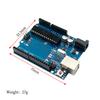
Dimensions: Approx. 68.6 × 53.4 mm
Weight: Approx. 25g
Package Includes
1 × UNO R3 Development Board (ATmega328P + CH340G)
1 × USB Cable
1 × UNO Proto Shield (Blank PCB)
Note: Dupont wires, sensors, and other accessories are NOT included – choose the kit version if needed.
The UNO is the best board to start with electronics and coding. If this is your first time tinkering with this platform, the UNO is the most reliable and stable board you can try. It is also the most widely used and well-documented board in the entire Arduino & Genuino family
label:yes


 Возврат по недоставке