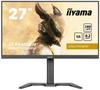
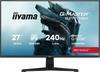
Absolute speed, curved
The G Master GC2784HSU B1 combines a 240Hz refresh rate with a 0.7ms MPRT response time for exceptionally smooth and crisp visuals in fast-paced games. The curved VA 1500R panel in Full HD resolution is optimized for high frame rates while delivering deep blacks thanks to high static contrast. Adaptive Sync support helps maintain stable frame rates at extreme speeds, making it easier to spot enemy movement and react with greater precision.
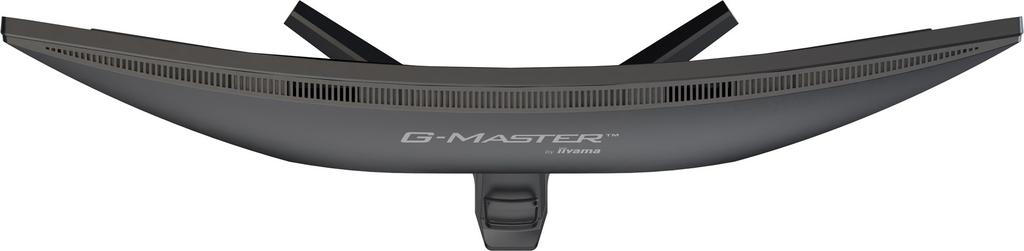
Curved screen for greater immersion
The curved screen helps deliver a more natural and immersive experience for games, movies, and everyday computing. This design wraps the image more closely around the eye, reducing noticeable distortion at the edges and making it easier to focus on the content. This makes long work or entertainment sessions more comfortable, and the image becomes more engaging and comfortable to watch.
VA panel with deep blacks
The VA LED panel provides high contrast, making the differences between light and dark areas of the image clearly visible. This matrix accurately reproduces deep blacks, which increases the realism of scenes in games, movies, and multimedia content. Wide viewing angles allow for comfortable viewing from various positions, maintaining a clear and saturated image during everyday use.
Curved screen for a better experience
The screen's curvature, inspired by the natural field of view, helps create a more realistic and engaging experience when playing, working, and watching content. The image better envelops the user, making it easier to focus on the action, data, or displayed details without excessive distraction. This makes long computer sessions more comfortable, and the greater sense of immersion supports concentration, precision, and better control of what's happening on the screen.
240 Hz refresh rate for maximum smoothness
The 240 Hz refresh rate allows the image to be displayed much more frequently than in standard monitors, resulting in an exceptionally smooth gaming experience. This allows for fast camera movements, dynamic action, and demanding scenes to remain clearer, while reducing ghosting. This is especially important in competitive games, where smooth image quality, precise reactions, and the ability to quickly spot opponents can have a real impact on the outcome of the game.
Blue light reduction for greater comfort
The blue light reduction function reduces the emission of the most taxing components of visible light, supporting more comfortable use of the screen over long periods. This makes the monitor more effective during long hours of gaming, working, studying, and viewing content, when eyes are particularly susceptible to fatigue. The built-in Blue Light Reducer allows you to customize the image to your needs, improving the comfort of everyday use without sacrificing the readability of displayed content.
Flicker-Free for a more comfortable viewing experience
Flicker-Free technology reduces screen flicker by controlling brightness using current regulation. This solution promotes greater eye comfort during long sessions in front of the monitor, whether while gaming, working, or watching multimedia. Combined with blue light reduction, it helps reduce eye strain and allows you to use the screen more comfortably for many hours.
AMD FreeSync for smoother gameplay
AMD FreeSync and Adaptive Sync technologies synchronize the screen refresh rate with the frame rate of the graphics card to provide smoother visuals in games. This reduces tearing, animation tearing, and stuttering visible during fast-paced scenes. This is especially useful in fast-paced titles, where image stability, precise responsiveness, and smooth movement help you maintain better control over the gameplay.
Speakers and headphone output
Built-in speakers allow for convenient audio enjoyment while gaming, watching movies, and using the monitor daily. When you want privacy or don't want to disturb others, you can connect headphones and focus on gameplay, music, or voice chat. This practical combination gives you the freedom to choose your listening method and makes it easier to adapt your workstation to various situations.
VESA standard for convenient mounting
The VESA 100 x 100 mm standard allows you to mount the screen on a compatible mount or arm, providing greater flexibility in organizing your workstation. This makes it easier to adjust the monitor's position to suit your desk, work style, or gaming setup. This practical solution helps save space, improve ergonomics, and create a more organized space for gaming, work, and everyday computing.




 Товар из Польши


 Возврат по недоставке