Semi-finishedproduct : No
Data Record : No
High-concerned chemical : none
Electronic : No
Material : Plastic
Size : LED Module
Type : LED Module
Model Number : LED Module
DIY Supplies : Electrical
Brand Name : Aideepen
Origin : Mainland China
Output Voltage : LED Module
Style : LED Module
Certification : NONE
Features:
1. DIY soldering project to develop hands-on skills
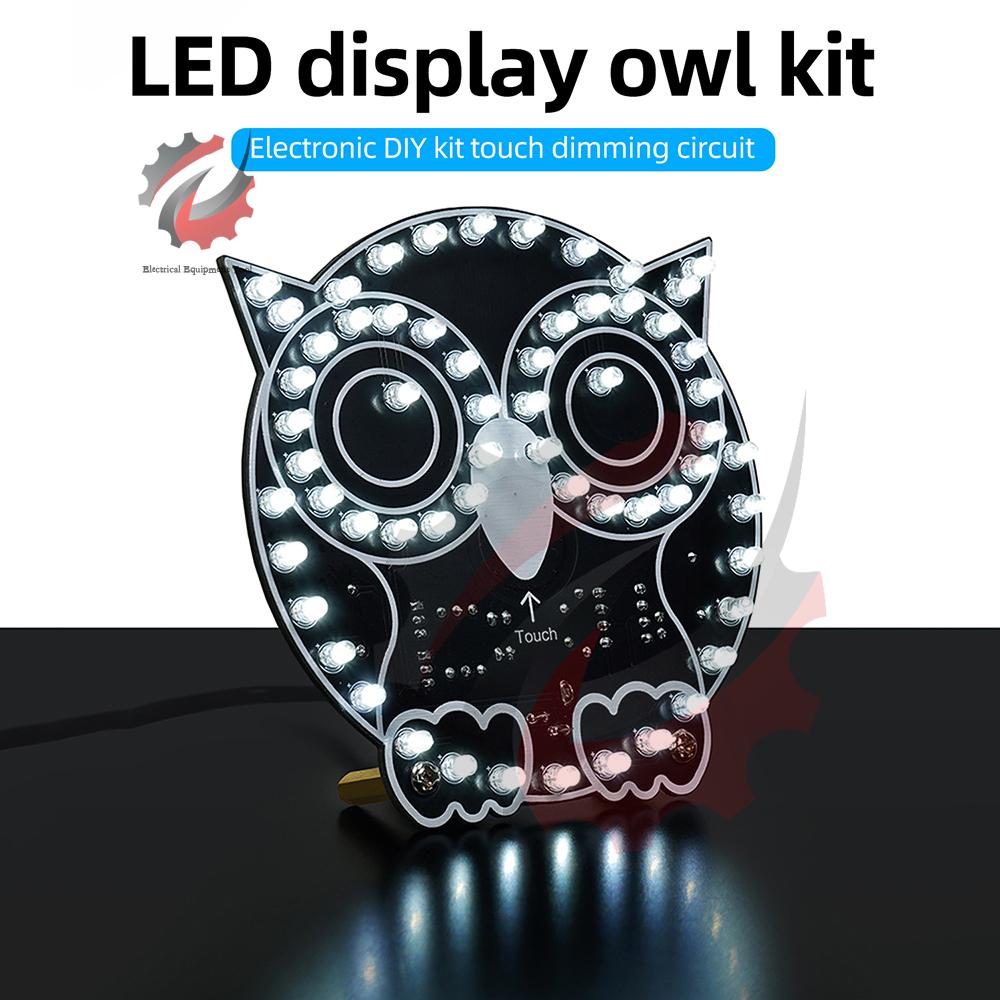
2. Multiple LEDs form an owl shape, creating a warm, cute, and comforting atmosphere
3. Four display modes offer a variety of distinct visual experiences
4. Adjustable brightness for clear, high-intensity lighting during the day and soft, non-glare lighting at night
5. The owl’s biomimetic design exudes a soft and cute charm; with built-in LED lights and adjustable brightness, it can serve as a desktop night light
Product Specifications:
Kit Name: LED Display Owl Kit
Operating Voltage: USB DC 5V power supply
Maximum Operating Current: Approx. 100mA (at maximum brightness, all lights on)
Touch-sensitive light adjustment: Lightly touch with your fingertip to adjust lighting modes; short press to switch LED modes; Long press to decrease or increase brightness
Four Display Modes: Short press the center to cycle through display modes;
Mode 1: All lights off
Mode 2: Outline lights on
Mode 3: Eye lights on
Mode 4: All lights on
Precautions:
When using the kit, do not touch the component pins on the circuit board with your hands or any conductive objects, as this may accidentally contact the touch button pins and trigger unintended functions.
Soldering Instructions: Solder components in the order of low to high and small to large. Be sure to distinguish between positive and negative terminals!!!
1. Install the chip socket and the side of the chip with a notch so that they align with the side of the PCB silkscreen that has a notch.
2. For LEDs, the longer leg is positive and the shorter leg is negative; the flat side is negative, and the curved side is positive. Install the positive terminal so that it aligns with the side of the PCB silkscreen marked with a “+” sign.
3. For electrolytic capacitors, the longer lead is positive and the shorter lead is negative. The “gray/white stripe” on the side of the capacitor indicates the negative terminal. Install the positive terminal on the side of the PCB silkscreen marked with a “+” sign.
4. For the transistor, align the semicircular side with the semicircular side of the PCB silkscreen, and align the flat side with the flat side of the PCB silkscreen.
Product List:
1x Owl Touch Light DIY Kit
Note: This is a DIY kit requiring self-assembly and soldering. (Note: This is not a finished product; you must provide your own soldering tools for assembly.)
label:yes




 Возврат по недоставке