Semi-finishedproduct : No
Data Record : No
High-concerned chemical : none
Electronic : No
Material : Plastic
DIY Supplies : Electrical
Brand Name : Aideepen
Origin : Mainland China
Output Voltage : DC 5-36V
Certification : NONE
Channels : 64CH
Current Consumption : 420mA Max
3dB IF Bandwidth : 16.5 MHz
Features:
1. Supports wide-band reception from 6.1 to 7.2 GHz, with 64 adjustable channels and strong anti-interference capability
2. Compatible with mainstream FPV goggles such as FatShark, offering convenient and efficient plug-and-play functionality
3. High sensitivity of -95 dBm, stable signal, and clear, smooth video transmission over long distances
4. FM/PLL demodulation technology, with a signal-to-noise ratio as high as 38 dB, delivering low-distortion, low-latency video quality
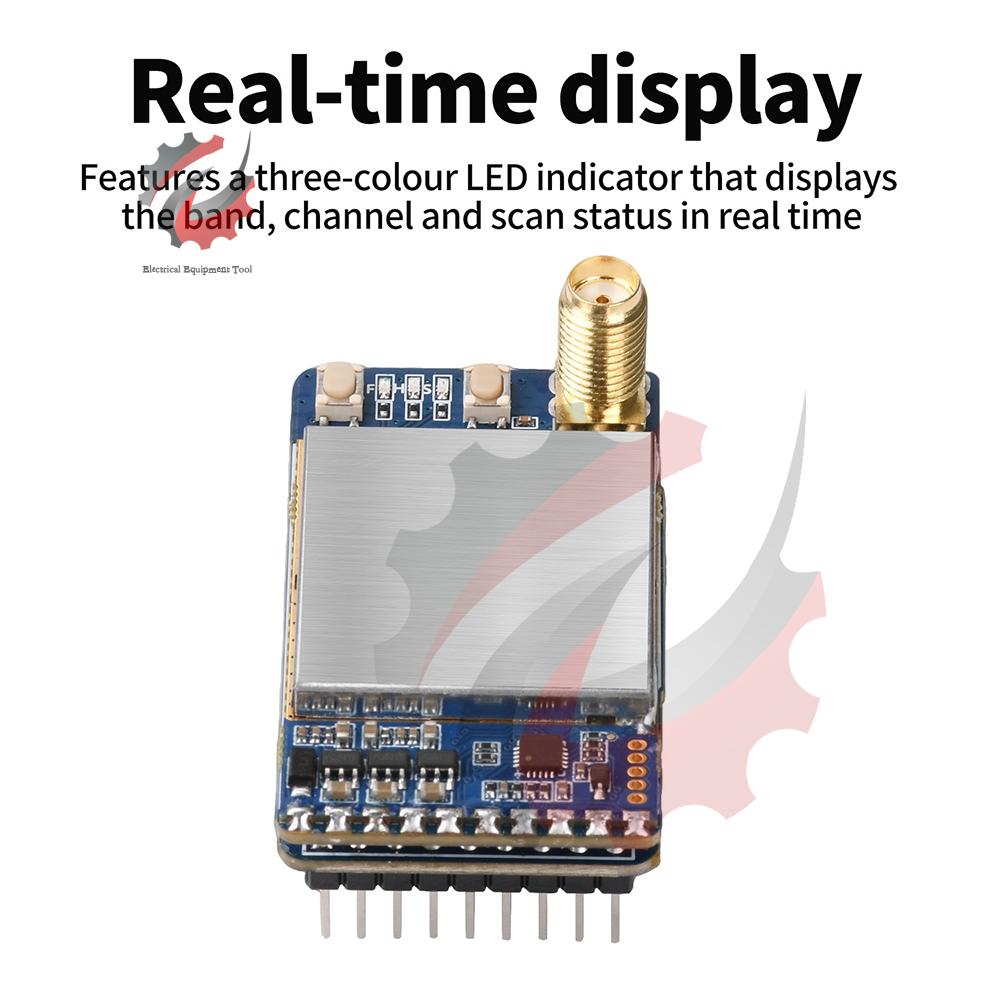
5. Three-color LED indicator design, displaying real-time band, channel, and scanning status
Product Specifications:
Product Name: 7.2GHz Video Receiver
Channels: 64CH
Supply Voltage: DC 5-36V
Current Consumption: 420mA Max
Operating Environment: -10~+65 ºC, 85%RH
Storage Temperature: -30~+85 ºC
Applications: Designed for use with FPV goggles; compatible with Feishark Skyzone goggles
Indicator Lights: 3 lights (green, blue, red)
Indicator Light Descriptions:
1. Green LED: The number of flashes indicates the current frequency band
2. Blue LED: Flashing indicates that the device is currently performing an automatic channel search
3. Red LED: The number of flashes indicates the current channel
Radio Frequency (RF):
Receive Frequency Range: 6110–7210 MHz
Input VSWR: 2:1
Demodulation Method: FM/PLL
Intermediate Frequency (IF): 480 MHz
Receive Sensitivity: -95 dBm
Video Characteristics:
Video Output Impedance: 75 Ω, Typ.
Video Output Level: 1 Vp-p, Typ.
3dB IF Bandwidth: 16.5 MHz
Signal-to-Noise Ratio (S/N): 38 dB, Min
RSSI Output Voltage (-30 dBm to -90 dBm): 1.3 to 0.7 V
Description:
The VRX-75D is a CVBS video input module designed specifically for FPV goggles, operating at a reception frequency of 7.2 GHz. It can also be used as a standalone receiver and is equipped with a 2.5mm headphone jack for video output. The module features a 1.0mm 5-pin ribbon cable interface, supports 5–36V DC power input, and provides video output, RSSI signal strength output, and a PWM pulse count adjustment channel interface.
Button Instructions:
Frequency Band Button:
1. Press briefly to cycle through the current frequency bands FR1–FR8. A steady green light indicates cycling. The number of flashes indicates the current frequency band.
2. Press and hold the frequency adjustment button for 2 seconds to enter auto-scan mode. A flashing blue indicator light indicates that the device is currently scanning for video signals. Once the scan is complete, the channel with the strongest signal will be displayed.
Channel Buttons:
A short press adjusts the current channel (CH1–CH8). A red indicator light indicates cycling. The number of flashes represents the current channel.
Package Contents:
Receiver x1
Antenna x1
Cables x2
Manual x1
label:yes




 Возврат по недоставке