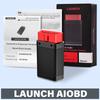
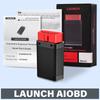
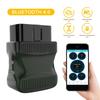
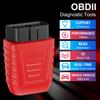
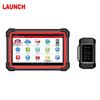
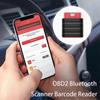
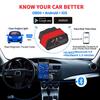
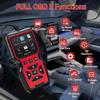
LAUNCH AIOBD Bluetooth Connector Car Diagnostic Tools Full OBD Function OBD2 Scanner For Android\IOS System Lifetime Free
OBD2 Features: Lifetime Free
Generate a comprehensive OBD static data report with one click. The report covers all 10 OBD modes, plus Smog Check and OBFCM functions, and supports report generation and sharing.
Free Download of 5 Vehicle Models Software
Perform a full-vehicle system diagnosis to scan all vehicle fault codes.
(Note: Purchase is required to view the diagnostic report.)
Ideal for Individual Car Owners
Simple to operate, with a highly coherent interactive design and a clean interface.
How to Download&Activate the App
1. For iOS devices, search for "LAUNCH AIOBD" in the official App Store.
2. For Android devices, search for "LAUNCH AIOBD" in the official Google Play store.
3. Alternatively, you can directly download the QR code on the packaging to go to the corresponding app store.
For the old APP version, the serial number + activation code is cumbersome and has been cancelled.
The new APP version does not require a password letter to activate, just upgrade the APP to the latest version.
(New users need to enter Email address to obtain the verification code for the first time. After logging in>enter the main interface>when clicking any diagnostic function on the main interface, the Bluetooth connection will be automatically activated)
Vehicle Fault Detection (Requires Purchase)
1. To use this function, first download Autosearch for automatic vehicle identification.
2. Access the Traditional Diagnostic mode, which includes comprehensive vehicle system functions such as: reading/clearing codes, reading data streams, reading version information, special functions, actuator tests, guided functions, ECU coding, and security key programming.
AutoOBD
1. Automatic OBD Static Data Report & Code Clearing
The function automatically reads all OBD static data and generates a comprehensive diagnostic report. This report allows for clearing fault codes.
2. Post-Completion Prompt for Full Scan
Upon returning from this function, the user is prompted with: "Proceed with a full vehicle system scan?"
Selecting "Yes" navigates the user to the Full Vehicle System Health Report.
3. User Journey: Before Purchase
If the user has not made a purchase, they enter AIT Mode to scan for the Vehicle Health Report.
This report displays:
The number of fault codes.
The systems to which the fault codes belong.
Basic actions like "Clear Codes" and "Fault Code Search" are available.
Paywall Trigger: Clicking anywhere else within the report or on any locked system triggers a payment window.
4. User Journey: After Purchase
Once the purchase is complete, all information and systems are unlocked.
The user gains access to all system-specific functions and detailed data. Tapping on any system allows the user to enter and perform detailed operations within that system.
OBFCM
Generates and shares Europe-specific emission-related data reports.
LAUNCH AI
Provides vehicle compatibility checks, fault code information, repair solutions, and other automotive repair support.
LAUNCH AI OBD Screenshots
Configuration
MCU: GD32F405
Operating Voltage: DC 9~18V
Operating Current: ≤100mA @12V DC
Operating Temperature: -10 to 50 °C
Storage Temperature: -20 to 70 °C
Storage Humidity: 10% to 93%
Dimensions: 74 × 47.1 × 24 mm
Communication: Bluetooth
CAN: Supported
K-Line: Supported
LED Indicators
Solid Green: Power On
Solid Blue: Bluetooth Connected
Flashing Blue: Bluetooth Communication
Solid Red: Update Failed
Packing List
High-concerned chemical: none
Origin: Mainland China
Wireless Support: Bluetooth
Communication Interface: Bluetooth
Item Type: Code Readers & Scan Tools
Brand Name: LAUNCH
Battery Included: no


 Возврат по недоставке