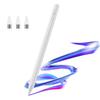
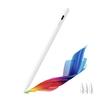
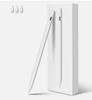
STYLUS FOR APPLE IPAD AIR / PRO TABLET ACTIVE PENCIL PEN GENERATION 2
✅ The most important features of this stylus are:
• Palm Rejection function, which allows you to freely use the stylus when touching the screen with your palm
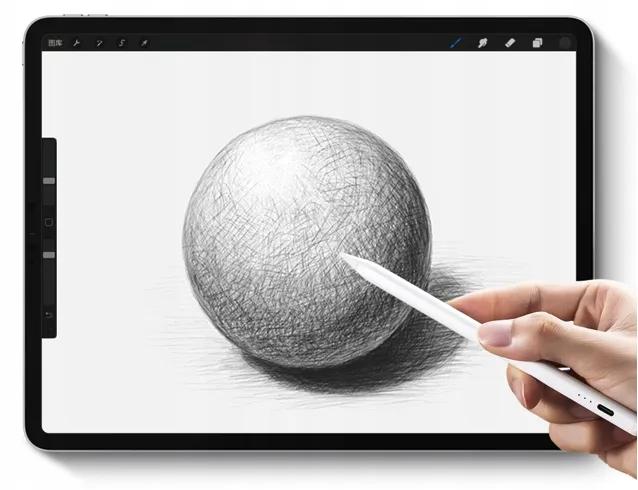
• built-in tilt sensors (Tilt Detection), which precisely maps the shape of lines on the screen, like a real pencil
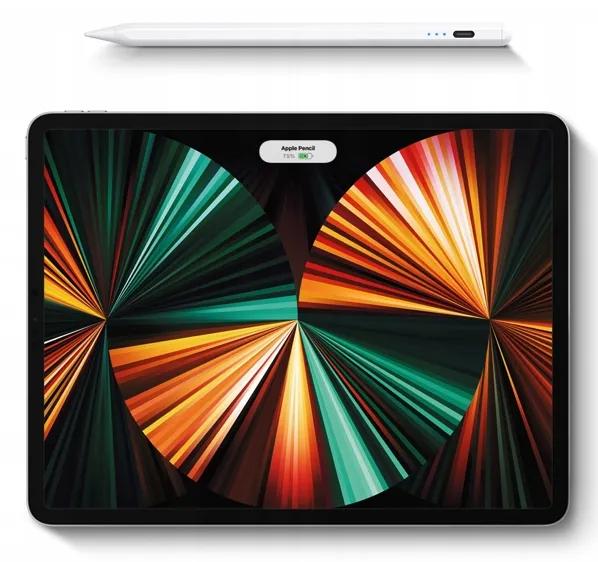
• Built-in Magnets, which allow the stylus to firmly stick to the edge of the iPad
• Improved technology, which accurately and smoothly maps every stylus movement
• Quick Screenshot function with editor enabled, which can be activated by waving the stylus
• Durable tip made of improved silicone, which is abrasion-resistant and can be easily replaced
• Long-lasting battery, which allows you to freely use all functions for a whole day or up to 20 hours on a single charge
✅ Magnetic function
Thanks to the magnetic function, after finishing work, you can put the stylus on the side of the tablet, so the device will never be lost and will always be ready for use.
✅ Full compatibility
The stylus is compatible with all iPads from 2018 with the iOS 12.2 update or later.
Works with the latest models from 2023.
✅ Examples of supported models:
• iPad 2018 Gen.6 - A1893 / A1954
• iPad 2019 Gen.7 - A2197 / A2200 / A2198
• iPad 2020 Gen.8 - A2270 / A2428 / A2429 / A2430
• iPad 2021 Gen.9 - A2602 / A2603 / A2604 / A2605
• iPad 2022 Gen.10 - A2696 / A2757 / A2777
• iPad Mini Gen.5 - A2133 / A2124 / A2126 / A2125
• iPad Mini Gen.6 - A2567 / A2568 / A2569
• iPad Air Gen.3 - A2152 / A2123 / A2153 / A2154
• iPad Air Gen.4 - A2316 / A2324 / A2325 / A2072
• iPad Pro 11' Gen.1 - A1980 / A2013 / A1934 / A1979
• iPad Pro 11' Gen.2 - A2228 / A2068 / A2230 / A2231
• iPad Pro 11' Gen.3 - A2377 / A2301 / A2459 / A2460
• iPad Pro 11' Gen.4 - A2759 / A2435 / A2761 / A2762
• iPad Pro 12.9' Gen.3 - A1983 / A2014 / A1895 / A1876
• iPad Pro 12.9' Gen.4 - A2229 / A2069 / A2232 / A2233
• iPad Pro 12.9' Gen.5 - A2378 / A2379 / A2461 / A2462
• iPad Pro 12.9' Gen.6 - A2436 / A2764 / A2437 / A2766
✅ Tilt Level Detection
Placing the stylus at the right angle will allow you to properly adjust the line width according to your preferences. If you're taking notes, write at a 90° angle for smaller, precise characters, or at a 60° angle for a medium line width.
Using the stylus at a 30° angle will certainly help fill in empty spaces.
A special tilt sensor also affects the final effect on the screen. The more you tilt, the thicker the line you draw. This makes shading a breeze. You stop wondering how to draw what you want, and everything becomes natural.
✅ Palm Rejection Feature
Palm Rejection allows you to comfortably place your hand on the screen while writing or drawing with this stylus on your iPad without affecting use. Don't worry about disturbing markings. No gloves required. It provides a natural writing experience and fast, seamless interaction with your screen.
✅ Compatible with Apple Pencil-powered apps
The stylus works with all your favorite apps on iPad.
✅ Supports iPad gestures
The stylus enables gestures, which are crucial for a smooth user experience and provide a better tablet experience. For example, quickly swipe the stylus to take a screenshot with the editor open. Quick and convenient.
✅ FREE - 2 Replacement Tips
When the tip wears out, you can easily replace it with a new one that will easily last for another year.
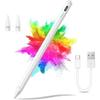
✅ The set includes:
1. Pencil Pro 2nd generation stylus
2. Two spare stylus tips
3. USB-C charging cable
4. Charging port cover
6. Elegant packaging




 Товар из Польши


 Возврат по недоставке






![Стилус для планшетов [Новинка 2026 Совместим с iPad] Стилус с быстрой зарядкой USB-C, Сверхвысокая чувствительность, Ультратонкий наконечник, Чувствительность к наклону/](https://img-edg.joomcdn.net/37558ae356827381d16a0a57bd318eca69953d19_100_100.jpeg)