Сайт не поддерживает ваш браузер. Пожалуйста, обновите браузер, или скачайте другой
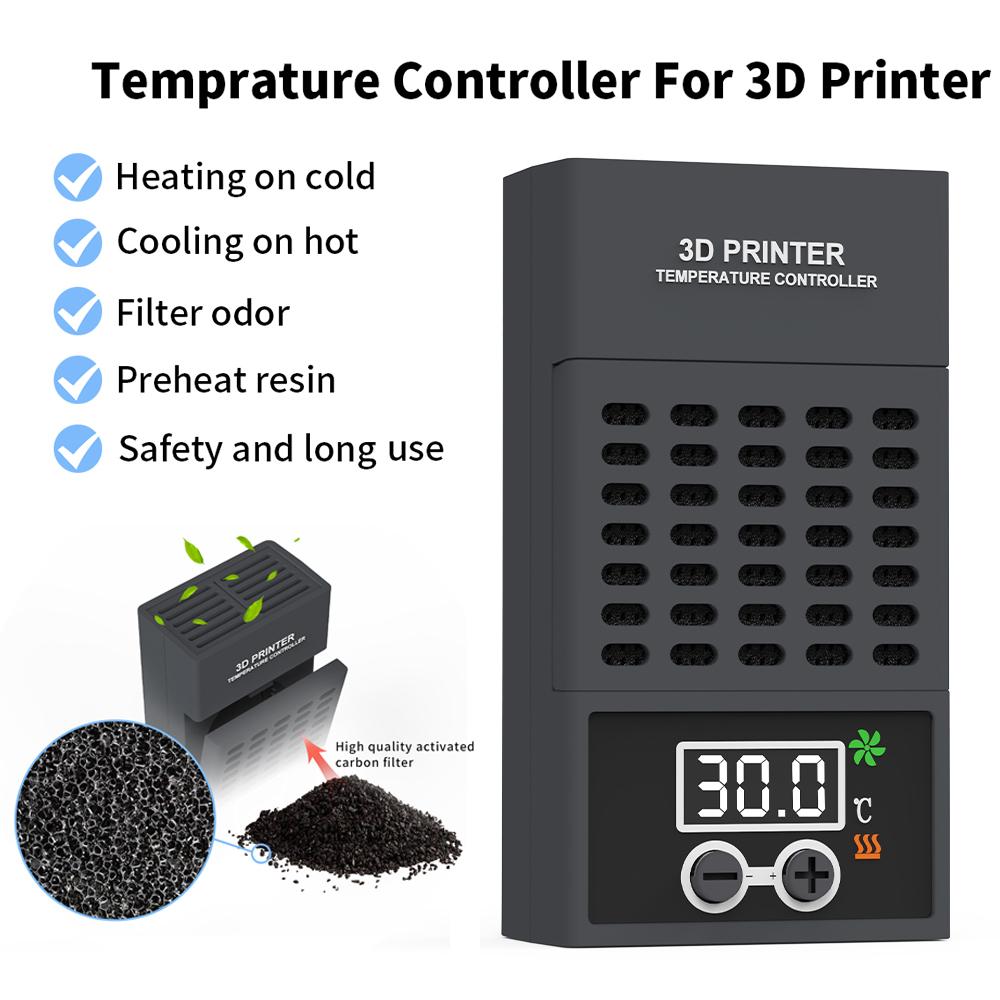
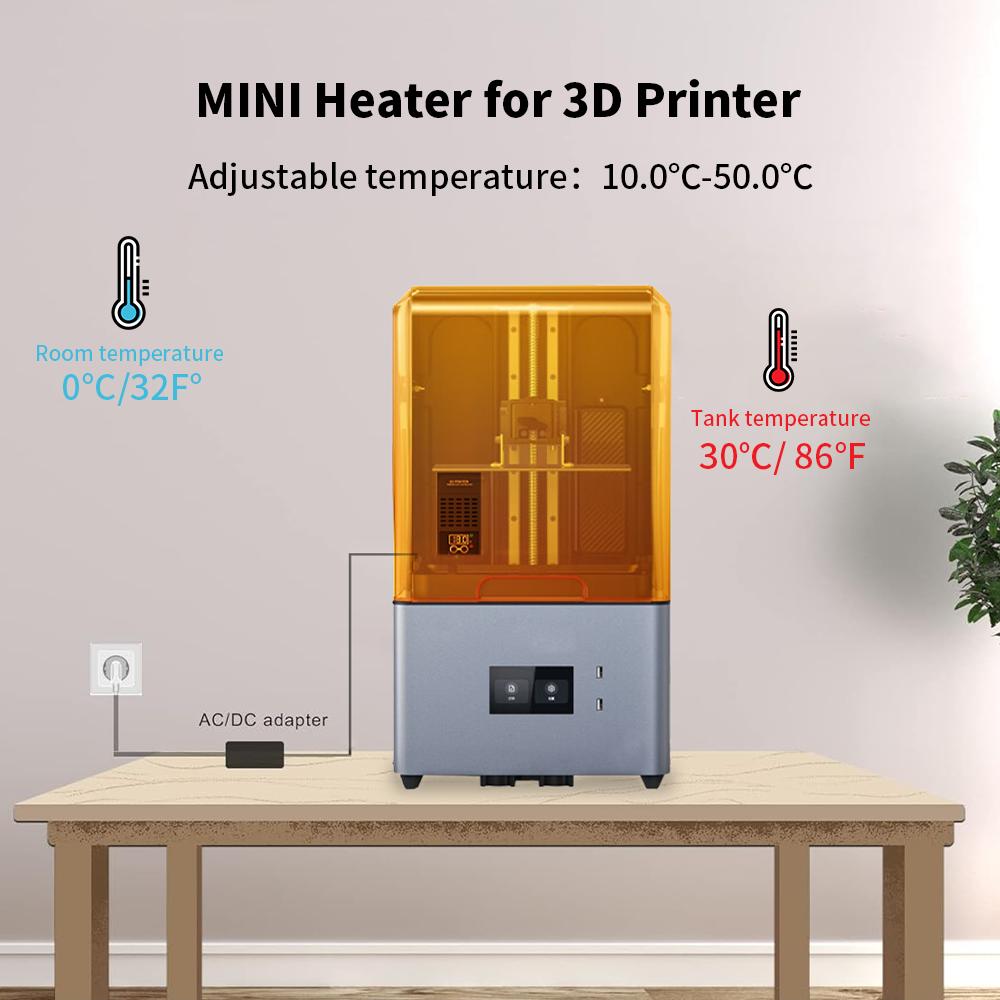


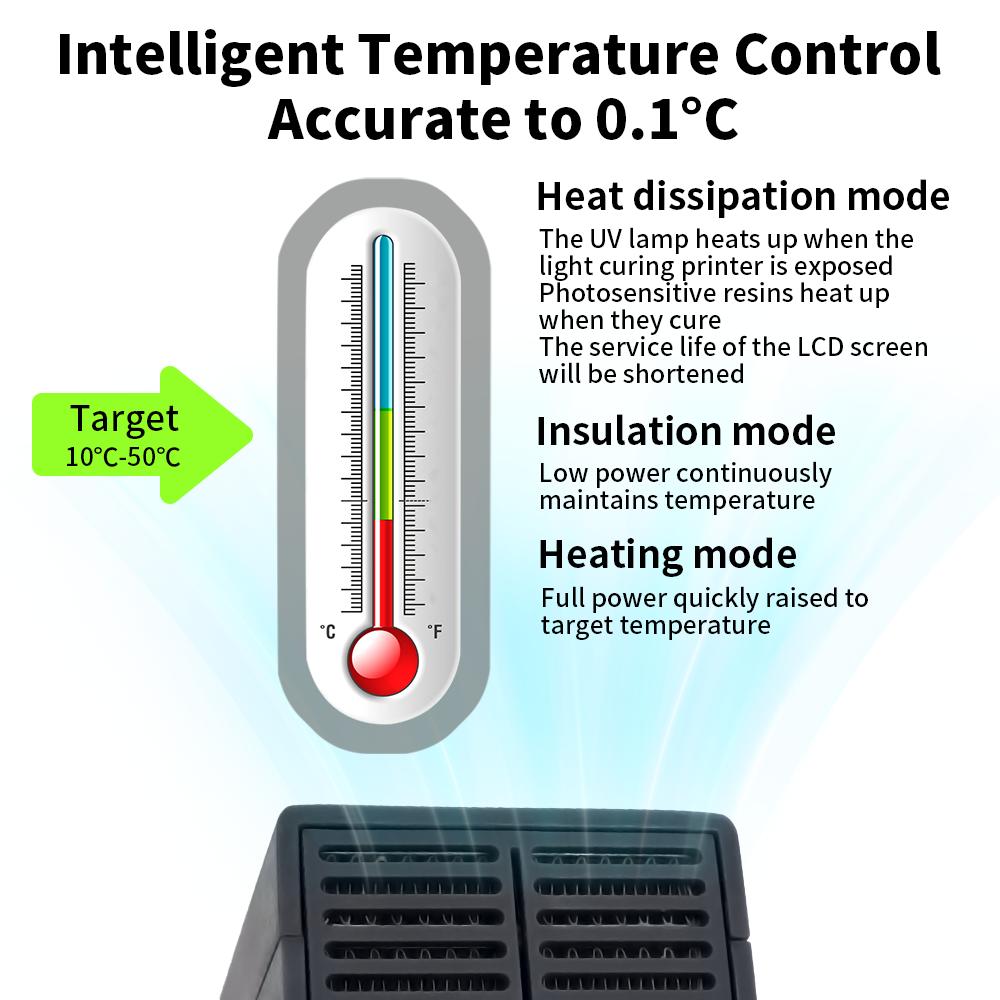


Mini Heater for ELEGOO,ANYCUBIC,CREALITY LCD DLP Resin LCD 3D Printer Temperature Controller Heating Thermostat Temp Control
Текущая цена
От Цена 5 860 ₽ руб.Загрузка...
Загрузка...
Загрузка...
Загрузка...
Загрузка...
Загрузка...
Загрузка...
Загрузка...
Загрузка...
Загрузка...
Загрузка...
Загрузка...
Загрузка...
Загрузка...
Загрузка...

Бесплатная доставка в Россию
13 ноября

Безопасность платежей и защита данных


 Возврат по недоставкеГарантия по качествуНадежная логистикаЗащита конфиденциальности
Описание


Отзывы
Покупатель
4 ноября
Для k1
Покупатель
29 октября
1 шт.
Покупатель
29 октября
Ace pro на s1c
Покупатель
27 октября
Нагреваемый стол
Похожие товары


Mini Heater for ELEGOO,ANYCUBIC,CREALITY LCD DLP Resin LCD 3D Printer Temperature Controller Heating Thermostat Temp Control — купить товар онлайн с бесплатной доставкой по всему миру!
Доступные цвета:
Качественные материалы:
Реальные фото и отзывы покупателей.
Большой размерный ряд: EU plug, US plug
Отзывы о похожих товарах
Доставка по России
Международный ассортимент
Возврат средств за заказы, соответствующие условиям, и круглосуточная поддержка клиентов
Скидка на первую покупку для новых клиентов