[Product Overview]
A super-compact mini game console with a thumb-sized design that looks great on a desk.
This lightweight gadget can be carried around as a keychain and is also popular as a cute gift.
A compact device preloaded with multiple retro-style games, ready to play right out of the box.
You can develop your own games using Python, making it ideal for learning programming and STEM education.
A convenient portable gaming gadget that can be on the go thanks to its USB rechargeable design.
With its ultra-compact design of approximately 29.5 x 18 x 9.5 mm, it's perfect for desk decor, photography props, and store displays.
Items from a project supported by over 6,000 people worldwide on Kickstarter and Indiegogo.
■ Enjoy retro games in palm-sized format
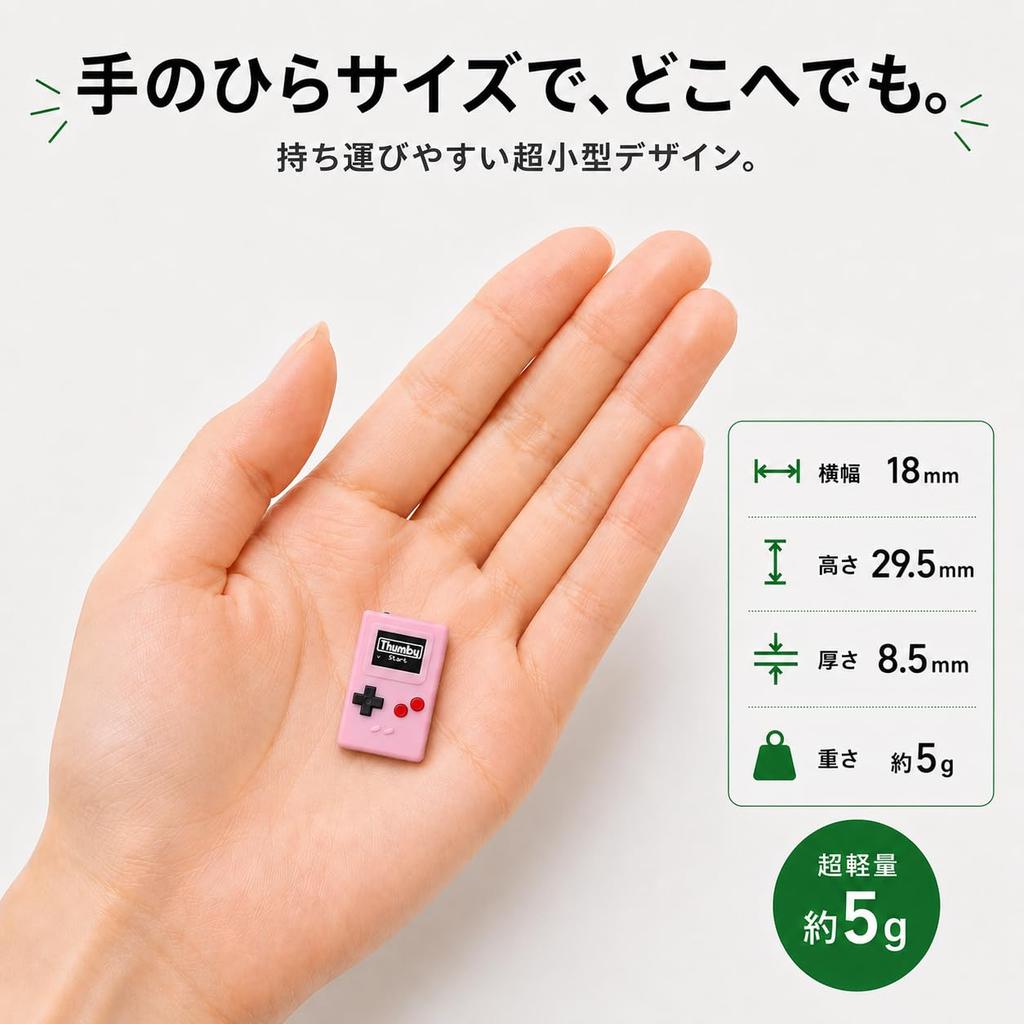
Thumby is an ultra-compact gaming device that can be attached to keys or bags for easy portability. Its tiny 29.5 x 18 x 8.5mm body features a 72 x 40 pixel monochrome OLED display, a four-way directional pad, and two action buttons. Enjoy gaming anytime, anywhere while carrying it around as a keychain.
■ Preload 5 or more games
Simply turn it on and you can immediately play with the five or more pre-installed games. Furthermore, you can add free games created by manufacturers and users through Thumby Arcade within the Thumby Code Editor.
■ Not only can you play, but you can also enjoy creating things yourself.
You can program your own games in MicroPython using the free Thumby Code Editor. It also supports Blockly mode, which lets you start without writing any code, and development environments for Arduino C/C++.
■ Connect two consoles for multiplayer
Using the Thumby Link Cable (sold separately), you can connect two Thumby devices to enjoy multiplayer games.
■ Rechargeable and reusable
It has a built-in rechargeable battery, allowing for approximately 2 hours of gameplay on a full charge. Charging and programming are done via a microUSB connection.
■ Design unique to the clear model
This clear model features a transparent polycarbonate case that allows you to see the internal circuit board. It combines the fun of retro gaming with the mechanical appeal of electronics projects.
1. Take out the Thumby and attach it to your keys, bag, or other items as needed.
2. Turn on the power switch on the top of the unit.
3. Select the game you want to play from the game list and start it by pressing the red action button.
4. Operate using the 4-way directional pad and action buttons. When playing a different game, turn the power switch off and then on again.
5. To add or create your own games, open the Thumby Code Editor in Google Chrome or Microsoft Edge and connect Thumby to your computer.
6. To play multiplayer, connect two Thumby devices using a Thumby Link Cable (sold separately).
[Specifications & Features]
• Package contents: Thumby unit, instruction manual.
• Display: 72 x 40 pixel monochrome OLED
• Controls: 4-way controller, 2 action buttons, power switch
• Programming: Supports MicroPython, Blockly, Arduino C/C++
• Connection: microUSB (charging, programming, and multiplayer via Thumby Link Cable)
• 40mAh rechargeable LiPo battery / Approximately 2 hours to fully charge
• Size: 29.5 × 18 × 8.5 mm
• Weight: Approximately 5.3g including key chain
• A microUSB cable is not included. Please provide your own microUSB cable for charging.
• When adding or creating games from a PC, please use a microUSB cable that supports data transfer.
• The Thumby Link Cable is sold separately.




 Товар из Японии


 Возврат по недоставке