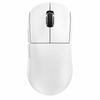
Product Specifications
Model: M7
Connectivity:
Three-mode connection: NearLink StarFlash, Bluetooth, Wired (USB to Type-C)
NearLink StarFlash: low latency, strong anti-interference, 1k report rate
Bluetooth: stable connection, zero-lag experience, supports pairing via “JZM7BT”
Wired: USB Type-C connection, 1k report rate
Compatible with Windows, Mac, and HarmonyOS systems
Supports seamless multi-system device switching
Sensor:
High-performance PixArt 3311 sensor
DPI range: 100–12,000 customizable
Default DPI levels: 400 / 600 / 1600 (default) / 2400 / 3200 / 5000
Tracking speed: 300 IPS
Acceleration: 35g
Gaming-grade sensor for smooth and precise tracking
Design & Ergonomics:
Ergonomically designed for medium to large hands, tailored to Chinese hand shapes
Suitable hand sizes: small (<17cm), medium (17–19cm), large (>19cm)
Lightweight design: approximately 65g (equivalent to 1 egg)
Comfortable grip with natural finger-to-palm extension to reduce fatigue
Skin-like anti-fingerprint coating for delicate touch and durability
Crisp and tactile buttons with 50 million click lifespan
Independent DPI adjustment button for on-the-fly sensitivity changes
Five customizable buttons supporting macro programming and key remapping
Side buttons configurable for shortcuts such as copy/paste
Battery & Power:
Built-in 600mAh rechargeable battery
Approximate 20 days of daily office use (8 hours/day)
Charging via USB Type-C cable connected to computer or charger
Software & Customization:
Dual-end driver support (web and software) for Windows, Mac, and HarmonyOS
Customizable DPI settings and button assignments
Macro recording, import/export functionality
Battery level display with percentage indicator
Button debounce delay settings
Left/right button swap option
Restore default settings feature
Additional Features:
Bottom compartment for receiver storage to prevent loss
Quick start guide included
Indicator LEDs: green for StarFlash mode, blue for Bluetooth mode
Easy mode switching via physical switch: Up for StarFlash, Middle for Wired, Down for Bluetooth
Pairing instructions: long press pairing button for 3 seconds to connect in respective modes
Package Contents:
M7 mouse
NearLink StarFlash receiver
USB Type-C charging cable
Quick start guide


 Возврат по недоставке