----------------------------------------------------------------------
【Voltage Compatibility】
When using electrical appliances, please note that they are designed for Japanese voltage specifications (90-110V), so if you use them with a different voltage, it may cause a malfunction.
【Plug Type】
Our products use Japanese plug types (A or B type).
Please use a conversion adapter if necessary.
【Important Note on Transformers and Adapters】
A transformer adjusts voltage to match your device’s requirements.
A conversion adapter only changes the plug shape and does not adjust voltage.
Using only a conversion adapter without a transformer may result in damage to the product.
【Liability】
We are not responsible for malfunctions or damages caused by improper use, such as operating the product without a transformer.
----------------------------------------------------------------------
【Esports-Level Ultra-Fast Wireless Controller & Wide Compatibility】GuliKit's proprietary "Hyperlink 2" wireless technology achieves ultra-low latency of 3.25ms with a 730Hz polling rate in PC Bluetooth mode. In wired mode, it achieves low latency of 1.87ms with a 1000Hz polling rate. This innovation in wireless technology gives the ES Pro controller world-class wireless speed and esports-level response speed. It's ideal for highly competitive games such as FPS and 3A games where instantaneous reactions are required. Furthermore, it's compatible with PC / Switch / Android / iOS / macOS / Steam Deck / ROG Ally / Ally X. (For pairing with devices other than Switch, please use PC mode.)
[Switch 2 Sleep Wake Compatible] (Please update to the latest firmware before use.) The ES Pro Controller is compatible with the Switch 2 sleep wake function. To use the sleep wake function, please follow these steps: ① Set the controller to NS mode, turn on the power, and press and hold the pairing button for 2 seconds. The indicator will flash rapidly, and pairing will begin. ② Put the Switch 2 into sleep mode (black screen), press the HOME button on the Joy-Con to turn on the screen, then enter the controller pairing screen and perform the pairing. (If you pair using the normal method without putting the Switch 2 into sleep mode, pairing will be completed, but the Switch 2 sleep wake function will not be supported.) For pairing instructions, please refer to the video on this page. Also, please upgrade your Switch 2 to system version 20.3.0 or higher.
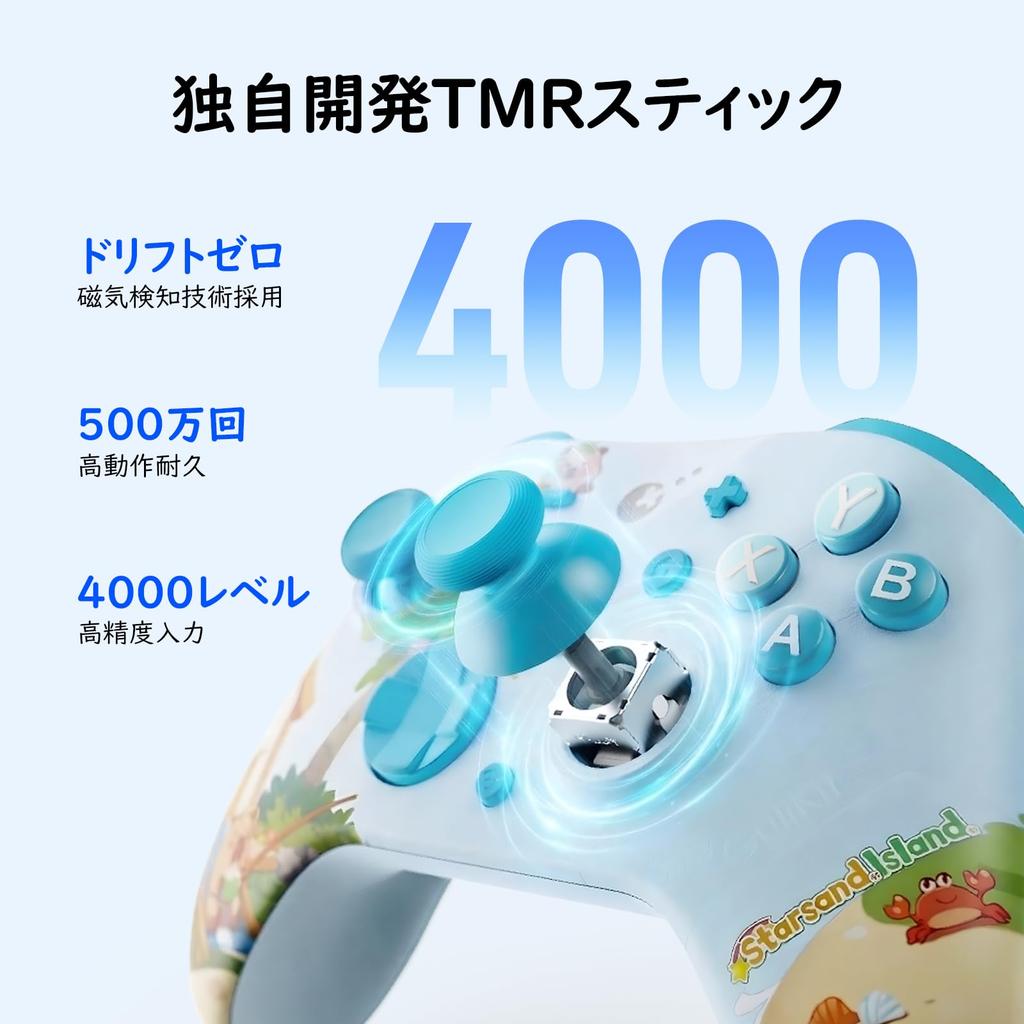
【TMR Stick & Hall Effect Trigger & Drift Prevention & Conductive Rubber Buttons】 Equipped with GuliKit's proprietary 4000-step ultra-high-precision TMR stick. The high-quality electromagnetic structure physically prevents drift from the root. The stick sensitivity can be adjusted in 3 stages (low/medium/high), making it usable in all game situations. The ABXY buttons are made of conductive rubber material to prevent sticking and poor contact, maintaining a comfortable feel even during long play sessions. Furthermore, the 256-step Hall effect trigger enables precise analog input. It is also ideal for racing games (RCGs) that require fine control such as acceleration.
【Ergonomic Design, 6-Axis Gyro & Vibration Adjustment】This ergonomically designed wireless controller features a non-slip grip and ideally positioned buttons, providing a comfortable and fatigue-free gaming experience even during extended sessions. The gamepad is equipped with a 6-axis motion sensor for intuitive and responsive control. The adjustable asymmetrical vibration motor realistically reproduces in-game movements and impacts, offering a deeper immersion and more realistic gaming experience. Furthermore, it supports dead zone settings and allows for customization of the ABXY button layout (replacement parts are not included in the package).
【Rapid Fire Function & Up to 30 Hours of Continuous Use & High-Precision D-pad】The ES Pro game controller features a Turbo fully automatic and semi-automatic rapid fire function, reducing the effort required during gameplay. The highly sensitive tactile D-pad supports 4/8 direction settings, enabling precise control during gameplay. Furthermore, patented PC tactile aiming assist technology allows for more accurate targeting, enhancing the gaming experience. With a 950mAh battery, it offers up to 30 hours of continuous use. It automatically shuts off after 15 minutes of inactivity. Thanks to GuliKit's proprietary technology, power consumption in standby mode is virtually zero, and it can power on even after being left unused for a year after a full charge. (All adjustments can be made on the controller.)
In games such as "Super Smash Bros.," a new "Snapback Prevention Mode" has been added to address an issue where the character unintentionally flips when the stick returns to the center after being pushed all the way to the end and then immediately released. This mode prevents unwanted character flips due to malfunctions by lowering the sampling rate when the stick returns to the center. Note: The latest firmware update is required.
[Japanese Instruction Manual] Package Contents: ES Pro Controller, USB-C Cable, Japanese Instruction Manual. Firmware Update Procedure: Access the GuliKit official website, select and download the firmware for your controller from the [Download] section, and follow the on-page guide to perform the update.
ES Pro Controller for PC/Switch/Switch 2/Android (Wireless/Wired Connection)




 Товар из Японии


 Возврат по недоставке


