Label:Yes
Color:As shown
Size:30x20cm(11.81x7.87in)
Process: 3D printing
Material:PLA
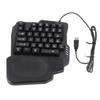
Name:GameClaw Qianren One-Handed Gaming Keyboard
Connection method: Wired
Package included:
1 x One-Handed Gaming Keyboard
Installation Notes:
1.When installing the switch on the split keyboard, do not apply too much force to avoid deformation of the switch pins, which may cause the key positions to malfunction. If the pins have already deformed, use tweezers or gently bend them by hand to correct them,and do not break them.
2.When using a wired split keyboard, TRS/TRRS is used to connect the recording cable in the middle of the keyboard. Do not unplug or insert the TRS cable in the middle of the keyboard when the USB data cable is plugged into the computer, because if the TRS cable in the middle is plugged in with 5V voltage, there is a certain chance of damaging the main control.
Features and Innovative Design
1. WASD Joystick System (Highlight)
Built-in joysticks, the same as those on the PS controller, allowing 360° rotation and control of eight directions.
Push forward to trigger "W", push backward to trigger "S", push left to trigger "A", push right to trigger "D", and tilt to trigger two buttons simultaneously.
Compared to traditional buttons, joystick operation is smoother, especially suitable for games requiring continuous movement.
2. Adjustable Ergonomic Design
Multi-angle adjustable keyboard stand to adapt to different sitting postures and operating habits.
Palm support design reduces wrist pressure, making long gaming sessions more comfortable.
Key layout optimized for left-handed use; thumb controls the joystick, and the other four fingers operate the skill keys.
3. Enhanced Gaming Performance
Full-key rollover technology: Pressing multiple keys simultaneously will not conflict, ensuring precise execution of combos.
High-sensitivity mechanical switches (specific switch type not disclosed), rapid response, virtually no latency.
Anti-slip keyboard surface design, maintaining stability during intense gameplay.
Use Cases and Advantages Analysis:
1.Applicable Game Types
FPS Games: Valorant, CS2, Apex Legends, PUBG, etc., joystick control provides more precise movement.
MOBA/RTS Games: Left hand controls movement, right hand focuses on mouse operation, improving multitasking capabilities.
Other games requiring frequent WASD use, such as open-world games like Naraka: Bladepoint and Genshin Impact.
2.Advantages Compared to Traditional Keyboards
Freeing Your Right Hand: Right hand holds the mouse throughout, avoiding frequent "keyboard-mouse" switching, increasing operational efficiency by 30%+.
Smoother Controls: Continuous joystick control makes character movement more natural, especially in scenarios requiring fine-tuning of direction.
High Space Utilization: Small size, doesn't take up desktop space, especially beneficial for laptop users.
Customizable Keys: Supports key programming, allowing you to set macro commands and unleash complex combos with a single keystroke.
User Experience and Precautions
1.Difficulty Level: Medium (approximately 1-2 hours to adapt to the joystick controls), efficiency significantly improves after getting used to it.
2.Best Pairing: Used with a right-handed mouse for perfect "left-hand movement + right-hand aiming/casting" coordination.
3.Limitations: Only suitable for left-handed operation; not suitable for left-handed players (unless reversed).
Requires USB connection; does not support wireless functionality.
Some complex operations still require coordination with other keyboard keys.
Tips:
1.Due to the light and monitors effect,colors may have lightly difference.
2.Please allow slightly size errors due to manual measurement.Thank you for your understanding!






![Of Mouse Grip Holder for Switch 2 Improved Switch 2 Ergonomic Grip for Mouse Easy Black [Set 2] Joy-Con 2, Control, Accessory, Operation,](https://img-edg.joomcdn.net/76f2228855ebf4d9d5b297ec0776c27ab0bacb17_100_100.jpeg)